













Frau am Laptop nutzt PDFdesigner von onOffice
Image of young cheery happy positive cute beautiful business woman sit indoors in office using laptop computer.
Frau am Laptop nutzt PDFdesigner von onOffice

PDFdesigner for professional property brochures

Design your own PDF brochures with onOffice enterprise and impress your prospects at first glance!

Try PDFdesigner now

Mann nutzt den PDFdesigner von onOffice
Corporate business professional sitting in office lobby working on laptop. Mature male executive working in office lounge.

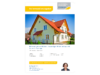
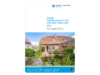
Custom-fit PDF brochure templates for every property

Manually exchanging data, images and texts and then saving everything as a PDF? Those days are over.

With the PDFdesigner in onOffice enterprise, you can create as many PDF brochure templates as you like for any purpose. Property data and images are automatically imported at the click of a button. This allows you to generate the right PDF brochure for every property in just a few seconds.

Advantages of the PDFdesigner

Discover the secret to swiftly creating polished and professional PDF brochures using onOffice enterprise.

  • PDF brochures for every property

    Create individual brochures and PDFs for every property and target group.

  • Intuitive

    Self-explanatory modular system and plenty of freedom in design.

  • Always up-to-date

    Generate an updated PDF brochure with just one click whenever changes are made.

  • Many sample templates

    Use existing PDF brochure templates as a starting point for your own designs.

Frau nutzt den PDFdesigner von onOffice
Smiling charming woman in eyeglasses working with computer while sitting in office

What makes a compelling PDF brochure?

The PDFdesigner in onOffice enterprise offers a wide range of options for creating attractive PDF brochures and notices with minimal effort, thanks to its modular system. Use these tips to showcase your properties in the best possible way:

  • High-quality images
  • Clear and meaningful descriptions
  • A list of technical specifications
  • Different images and texts for the PDF brochure and the property portals

Available in which versions?

You can create PDF brochures with the PDFdesigner in all three versions:

  • onOffice enterprise pro
  • onOffice enterprise all-in
  • onOffice enterprise expert


How to create PDF brochure and notice templates directly in onOffice enterprise

In our training videos, discover how easy it is to create professional templates with the PDFdesigner.

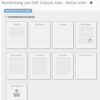
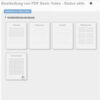
Video about the PDFdesigner from onOffice: Advanced basic settings
Basics – Create & edit templates
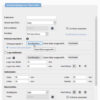
Video about the PDF designer from onOffice: Advanced basic settings
Advanced basic settings
Video about the PDF designer from onOffice: Integrate units in the exposé (base object)
Include units in the exposé (master property)
Video about the PDF designer from onOffice: Additional page types
Additional page types in PDFdesigner
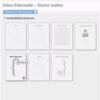
Video about the PDF designer from onOffice: filter pages
Filter pages
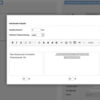
Video about the PDF designer from onOffice: header & footer
Header & footer
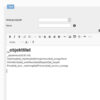
Video about the PDF designer from onOffice: Tab definition
Tab definition
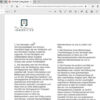
Video about the PDF designer from onOffice: column macro
Column macro
Video about the PDF designer from onOffice: table function
Table function
Video about the PDF designer from onOffice: Create & edit templates
Combination of tab definition and table function

Create property PDF brochures online step by step

Designing can be this easy. We will show you how to create new templates for brochures, notices and letters in just a few steps and export them as PDFs.

  • 1. Create a new template

    To create a new design template, simply select one of the existing models.

  • 2. Configure basic settings

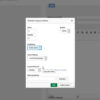
    Go to “Basic settings of the brochure” and adjust the options such as category, name, font, and logo. By default, the system applies your corporate colors.

  • 3. Create and configure pages

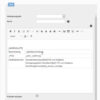
    Now it’s time to design. Select pages such as image galleries, energy certificates, or text blocks and configure them as needed. Arrange everything easily using drag-and-drop.

  • 4. Check the preview

    Use the preview function to view your PDF brochure template with real property data at any time. Please save the template beforehand.

  • 5. Activate and publish the new template

    Happy with the result? Then publish your new template by clicking “Activate PDF brochure”. Only activated templates can be used. If you make changes later, these must also be published.

  • 6. Send your PDF brochure

    There are various ways to use your new brochures. You can generate a PDF in the property record and send it as an email attachment or via a macro. Thanks to the property link, your brochure always contains the most up-to-date data.

Create PDF brochures for free

Discover how easy it is to create and send PDF brochures for your properties online with the PDFdesigner in onOffice enterprise. Try all features for 7 days with no obligation.

Try PDFdesigner now

Mann und Frauen schauen sich am Tablet mögliche Imagebroschüren an

onOffice Sample Brochures

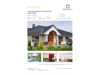
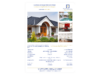
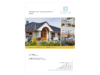
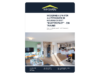
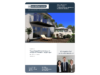
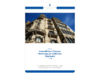
With our sample brochure templates, you can easily create your own PDF brochures. Here is a selection of our best sample brochures.

Plus Templates in Your Corporate Identity

Are you looking for a more personalized design that truly reflects your company’s identity? Our Plus Templates offer the perfect solution! Choose from four available options, and we’ll customize your selected template to align with your corporate colors and logo. Additional customization requests will be quoted separately.

PDF brochures and letters with one click

  • Creating an exposé PDF with the PDFdesigner kit is child's play
    Businessman showing his colleague something on a laptop. Happy young entrepreneurs smiling while working together in a modern workspace. Two young businesspeople sitting at a table in an office.

    How Do I Create a PDF Brochure with the PDFdesigner?

    The ideal brochure template meets two requirements: appealing design and flexible use. The PDFdesigner combines both! Become a graphic designer without programming skills. Your PDF brochure automatically pulls all content directly from the software. Simply select a template in the PDFdesigner and customize fonts, page margins, background graphics, number of pages, and more to your liking. You can easily determine the order of the pages via drag-and-drop.

    The same applies to PDF letters: The PDF includes the necessary sender and recipient information and is immediately ready for printing and sending.

  • Exposé PDFs from onOffice enterprise update automatically
    Focused businessman using a pen and signing a contract during the meeting.

    Distinguishing Features of the Traditional Brochure

    High-quality brochures created by graphic designers are usually made for each individual property. The designs are difficult to transfer to other properties because they have different images and varying lengths of text. Additionally, the brochure needs to be manually updated for minor changes.

    With the PDF brochures from onOffice enterprise, each template fits any property and updates automatically whenever there are changes.

  • Variants of an exposé PDF accelerate creation with the PDF designer of the onOffice enterprise brokerage software

    Variations of a PDF Brochure

    You have the perfect brochure, but need a slightly modified template for different target audience? Don’t worry, you don’t have to do the work all over again. Simply duplicate the existing template and edit the copy. This way, you can easily create different brochure templates for various target audiences with minimal effort.

Property PDF brochures from our customers

Explore the realm of visual possibilities with the assistance of the PDFdesigner, turning imagination into reality!

Customer testimonials on brochure PDFs in onOffice enterprise

Wyss Real Estate logo

The real estate software onOffice enterprise includes all the essential tools the company needs to optimally manage clients and properties. The team at Immobilien Wyss Schweiz AG is particularly impressed by the Process Manager and the PDFdesigner, which allows them to create professional brochures.

Marc Wyss, CEO Immobilien Wyss Schweiz AG

Bartsch Immobilien Logo

The advantages of onOffice enterprise are clear for Bartsch Immobilien: the software makes daily work clear and easy. Its modern interface is user-friendly and allows for quick handling. This applies to data management as well as the creation of custom email templates and the PDFdesigner, which the team uses to create their own brochure templates. The customizable templates make it easy to maintain a consistent external appearance.

Carlheinz Bartsch, CEO Bartsch Immobilien GmbH

Feller Immobilien logo at onOffice

onOffice is a tool that greatly simplifies Julien Feller’s daily real estate activities. Thanks to this straightforward all-in-one solution, the company saves a significant amount of time. Additionally, every client is treated appropriately and respectfully, making meticulous work effortless. The email system and the PDFdesigner, which allows for the simple and attractive creation of modern brochures, are used extensively.

Julien Feller, Founder & CEO Feller Immobilien

FAQ about the PDFdesigner

We answer frequently asked questions about creating PDF brochures in onOffice enterprise.

No! The PDFdesigner is included free of charge in all versions of onOffice enterprise.

Thanks to our modular system, you can create brochures quickly and easily. Add new pages in the PDFdesigner, configure them as desired, and arrange everything using drag-and-drop. You can preview your brochure at any time using real property data. Various page types such as image galleries, text pages, and floor plans are available, allowing for complete customization of your templates. Step-by-step instructions can be found above.

Yes. You can easily customize your templates so they perfectly match your corporate identity.

A classic brochure contains the most important information about a property, such as descriptions of the property and its location, photos, floor plans, energy certificate data, price, and your contact details. Keep texts short and clear, highlight the advantages of the property, and create different brochure templates for different purposes, such as for showcase displays or email dispatch.

Additional Features

Enhance your PDF brochures with even more presentation options.

Explore Our Software

Discover all the features that onOffice enterprise has to offer!

All Features

Lächelnde Frau vor Laptop entdeckt die vielfältigen Funktionen von onOffice enterprise.

Any Questions?

Increase the visibility of your brochures

  • Google Ads

    Advertisements that increase your visibility.

  • Social Ads

    Paid advertisements on social media for an extra boost in reach.

  • Newsletter Marketing

    Exciting content for your prospects and customers with professional newsletters.